

Tiny Desk AI Video Generator
Create a Tiny Desk AI video with five photos. Assign your lead singer, keyboard player, backing singers and sax player, then generate a video with the original audio.
Turn five photos into your own Tiny Desk AI band. Choose who sings, plays the keyboard and takes the saxophone solo, then generate a vertical performance video with the original audio included.
Make Your Own Outstanding Tiny Desk AI Video
Put your friends, family or group-chat cast into the familiar “Outstanding” performance. This Tiny Desk AI template uses a ready-made concert reference, so you can focus on choosing the people for each part. You do not need to write a prompt, upload a performance video or assemble separate clips.
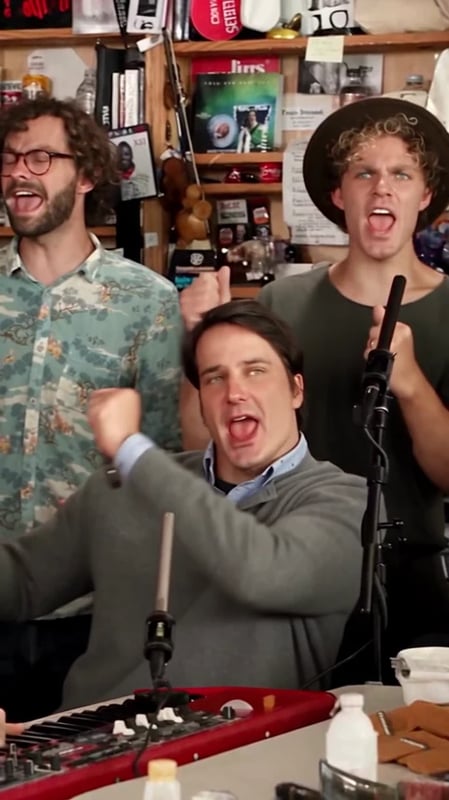
The finished edit follows the reference’s band shots, lead-singer close-ups and saxophone solo. Watch the example above to see how the five roles appear throughout the performance.
How to Make a Tiny Desk AI Video
Assign Your Five Photos
Upload one portrait into each named slot. Left and right refer to the positions you see on screen:
- Left Backing Singer: the singer on the left in the band shots.
- Keyboard Player: the performer at the keyboard in the center.
- Right Backing Singer: the singer on the right in the band shots.
- Lead Singer: the main vocalist featured in the close-ups.
- Saxophone Player: the performer featured in the saxophone solo.
Generate Your Performance
Check the photo in each slot, sign in and select Generate. The button shows the credit cost before you start. The template handles the character replacement and adds the original performance audio.
Watch and Download
Play the completed video with sound and check each person’s role across the different shots. Download the finished video when you are ready to share your band.
Choose Photos That Show Each Face Clearly
Use a separate, well-lit portrait for each role, with one clearly visible face per image. A front-facing or slightly turned head-and-shoulders photo gives the template a useful view of the person. Avoid faces hidden behind sunglasses, hands or other people.
If your cast comes from one group photo, crop each person into a separate image before uploading. Distinct portraits make it easier to assign the right person to each position.
Tiny Desk AI Questions
Does the video include music?
Yes. This template adds the original reference audio to the generated performance. Your photos change the performers’ appearance; they do not record or clone those people’s voices.
Do all five people appear together?
The template follows the reference’s changing camera shots. The keyboard player and backing singers appear in the band shots, while the lead singer and saxophone player have their featured moments. Watch the example to see the sequence.
Do I need video editing experience?
No. The reference performance and soundtrack are already set up. Upload the five portraits and generate your version directly on this page.
Is Tiny Desk AI free to generate?
Generation uses Vhoo credits and requires an account. Check the cost on the Generate button before starting, and see Vhoo pricing if you need more credits.
Try Another Performance Template
For a solo singing clip, try the Training Season AI Singing Template. For a group dance instead of a band performance, explore the Gangnam Style AI Video Generator.