
GPT Image 2.6

Generate images, animated GIFs and SVG designs with GPT Image 2.6. Enter a text prompt or upload reference images to edit.

11 credits

Create with GPT Image 2.6

Image, GIF and SVG Generation

Alongside PNG, JPEG and WebP, 2.6 introduces animated GIF and SVG output. Use GIF for animated stickers and reactions, SVG for graphic design, and PNG, JPEG or WebP for still images.

.gifAnimation from a prompt

Animated GIF Generation

GPT Image 2.6 can generate animated GIFs directly. Make a kitten wave, a character dance or a reaction come to life. Download the animation as a GIF, ready for a message, post or presentation.

Text to image · Auto aspect ratio
.svgVector output

SVG Design Generation

Generate an SVG for invitations, posters, logos and illustrations. Scale the result for a small interface or a large print, then open the vector file in a compatible design editor to refine it.

Text to image · Download as SVG

GPT Image 2.6 Use Cases

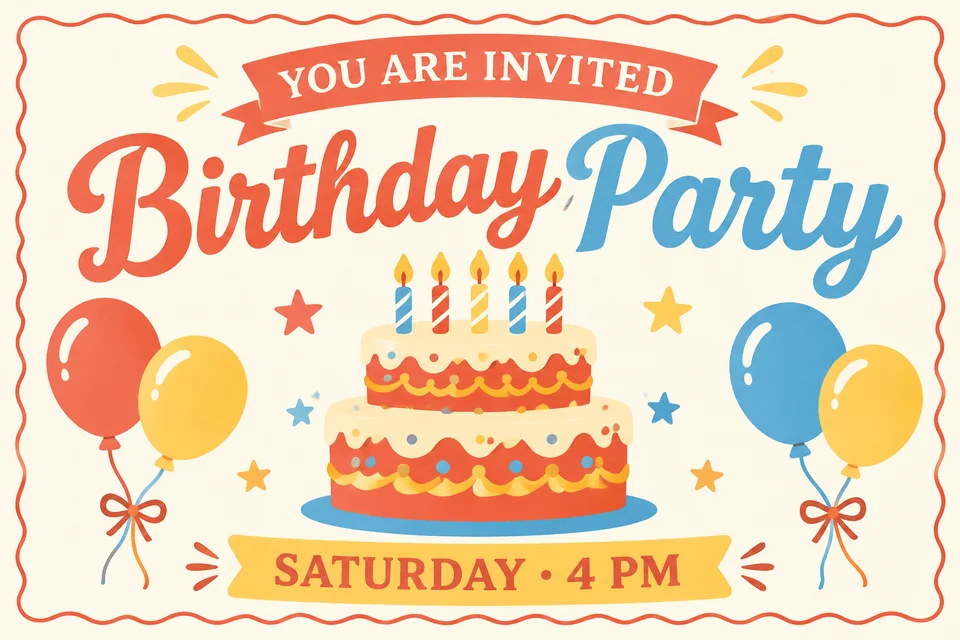
Birthday invitation with playful lettering, a candle-topped cake, colorful balloons and an ivory background

Graphic design

Birthday Invitation Design

Design a birthday invitation around your words, colors and celebration. Combine playful type with balloons, a cake and a few graphic details. Specify the headline, date and layout to create a card for your celebration.

Prompt idea

Design a birthday party invitation. Warm ivory background, coral red, butter yellow and sky blue. Include “YOU ARE INVITED”, “Birthday Party” and “SATURDAY · 4 PM”. Add a two-tier cake with candles, balloons and a wavy border. Flat illustrations, balanced typography and generous whitespace.

Choose Text to image and describe the wording, color palette and decorations. Download the result to share your invitation.

Animated fluffy kitten blinking and waving a paw beside a cheerful Hi greeting

GIF · Fun & sharing

Animated Cat GIF

Generate a looping cat GIF for chats and social posts. The kitten blinks and waves its paw beside a “Hi!” greeting. Describe the character, expression and movement to create other reaction GIFs or animated stickers.

Prompt idea

Create a seamless looping GIF of an adorable fluffy cream-and-orange kitten. It smiles, blinks and gently waves one front paw beside the word “Hi!”. Soft pastel peach background, cozy polished 3D animation, fixed camera. Return naturally to the starting pose.

Choose Text to image → GIF with Auto aspect ratio. Download the original GIF to keep the animation when sharing.

Reference-guided editing

Product Photo Background Editing

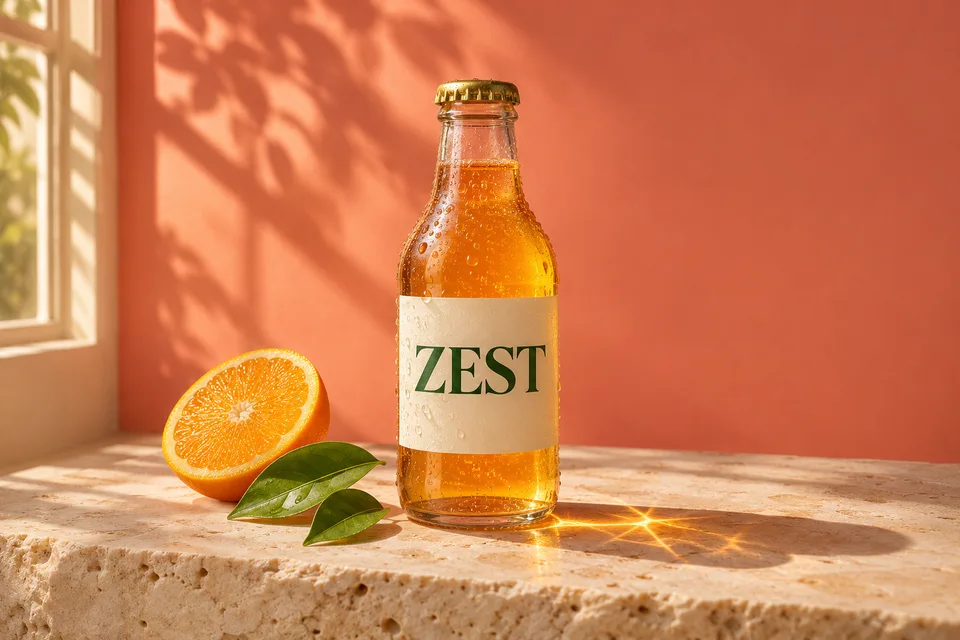
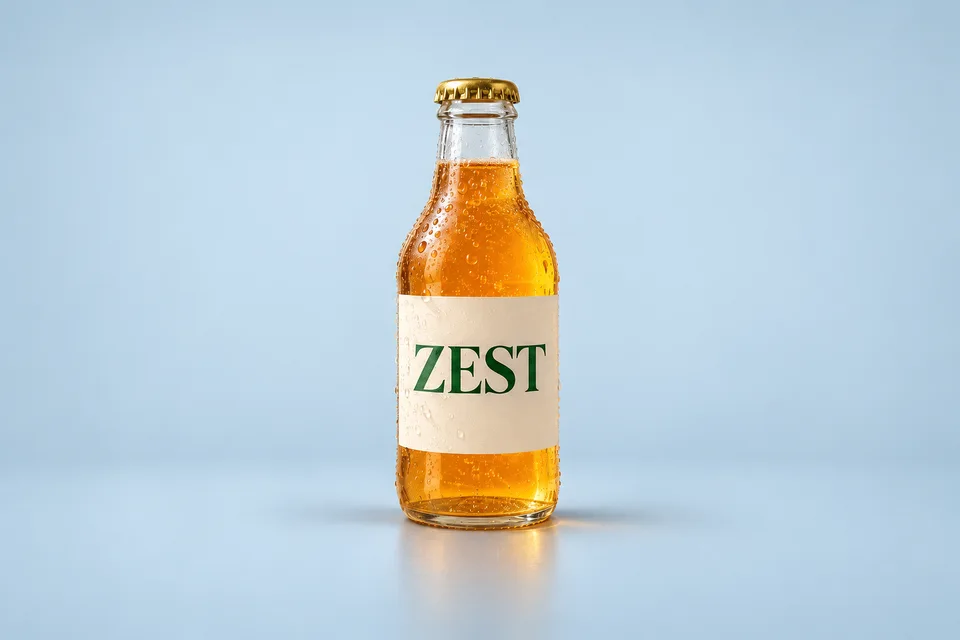
Use GPT Image 2.6 to edit an existing image with a specific brief. Ask to retain the bottle shape, label and framing while changing its setting. Add up to 16 references when your subject, background and style come from different images.

ZEST bottle on stone with citrus and warm window light
Warm background
The same ZEST bottle concept against a pale blue studio backdrop
Blue studio background

Prompt idea

Keep the bottle, ZEST label, cap and camera angle. Replace the warm setting with a pale-blue studio backdrop and soft light. Remove the orange slices and leaves.

Frequently Asked Questions

Create with 2.6
What can GPT Image 2.6 make on this page?

Generate still images, animated GIFs and SVG vectors from text. With uploaded references, generate image edits in PNG, JPEG or WebP. Choose the output format in the generator settings.

Can I animate an uploaded photo with GIF output?

GIF and SVG are currently available in Text to image only. To animate a photo, use the separate Image to video tool. GIF generation here starts from a written description and uses Auto aspect ratio.

How many reference images can I use?

Up to 16 images, each up to 10 MB. In Image to image, describe which reference supplies the subject, setting or style. State what should change and what should stay the same.

Why is there only a 1K resolution option?

This integration currently offers the 1K resolution tier. Auto is an aspect-ratio setting: square for text generation, or the nearest supported ratio of the first readable reference for image edits. You can also select a specific ratio for still images.

What happens when I generate and download?

The button shows the credit cost before you generate. Your task appears in Recent generations; click the finished result to preview and download it. GIF and SVG download in their original formats. Raster downloads on accounts without a qualifying purchase are saved as watermarked PNGs; eligible accounts receive the original file.

Have a still image you want to animate? Continue with Image to video.