
Image to Image AI
Image to Image AI for photo transformations
Use Image to Image AI to transform a photo, sketch or illustration with a text prompt. Restyle an interior, explore a product background or combine image references while describing the details you want to keep.
Transform your image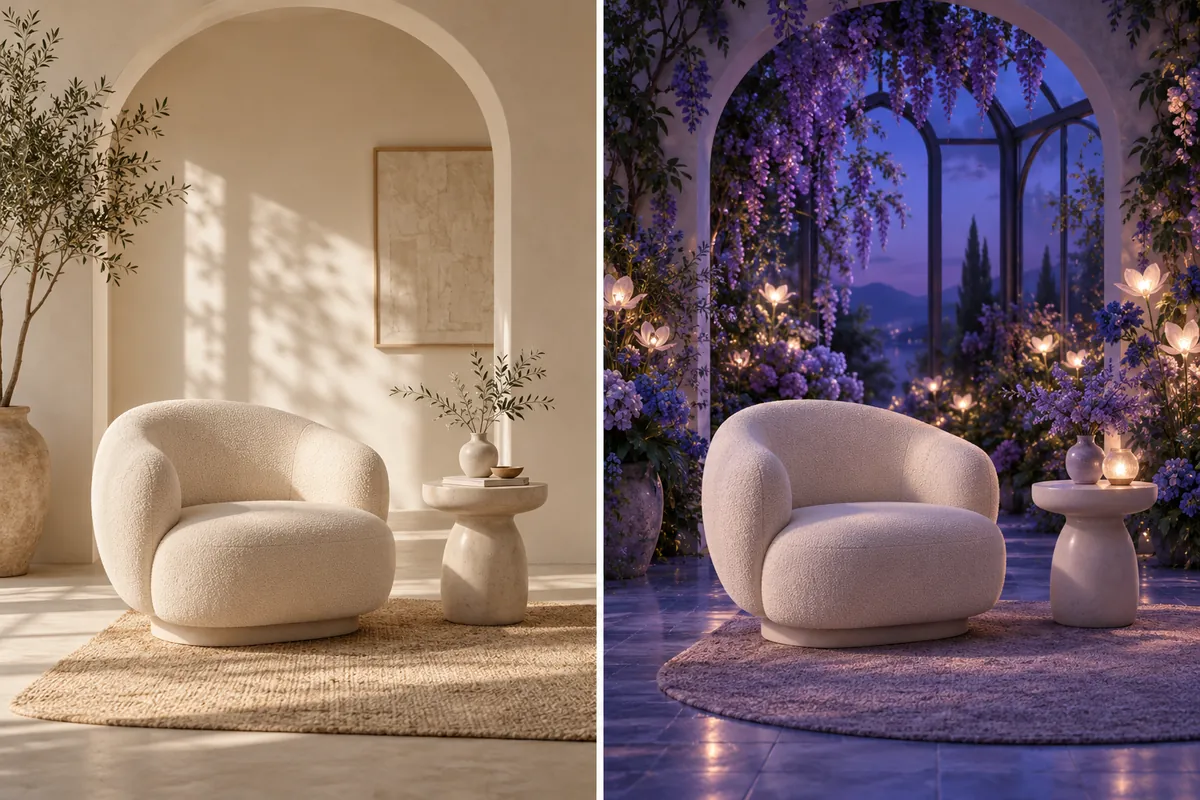
Photo restyling
Image to Image AI for a different atmosphere
An existing image gives your next idea a visual starting point. Use Image to Image AI to explore a warmer interior, a new product setting or an illustrated treatment without rebuilding the brief from nothing.
- Keep a visual anchor. Name the subject, silhouette or framing that matters.
- Change a clear direction. Describe light, materials, setting or medium.
- Review the interpretation. Check faces, lettering and product proportions at full size.
Concept pair showing two art directions; not a recorded tool comparison.
How to use Image to Image AI
Upload your reference
Add a clear photo, sketch or illustration. For multiple image references, stay within the selected model’s limit and assign each image a purpose.
Describe your transformation
Write what should change and what should remain recognizable. Use @ to point to a particular uploaded image in your prompt.
Generate and refine
Choose available image settings and review the credit estimate. Generate, inspect the result in Your images and download a version you want to use.
Multiple image references
One image for the subject. Another for the style.
An AI image generator from image works best with a clear reference brief. Give the first upload the composition role and another the palette or texture role. Explain which details should carry over instead of asking the model to merge everything equally.
For an interior concept, keep the furniture layout while exploring a botanical setting. For a product concept, keep the main shape while changing the surface and light. Image to Image AI can reinterpret fine details, so review the result before using it in a finished design.
What can you create with Image to Image AI?
Product scene variations
Explore seasonal backgrounds and lighting around a supplied product photo. Check branding, shape and fine details before publishing.
Illustration and concept art
Turn a rough visual direction into a new medium. Describe the line work, materials and color treatment you want to explore.
Interior mood studies
Compare different atmospheres around a familiar room composition. Use the reference to communicate layout and the prompt to describe the new mood.
Starting from words alone? Use Text to Image AI. When your still image is ready, continue with Image to Video AI to describe its movement.
Image to Image AI: frequently asked questions
Image to Image AI generates a new still image from uploaded visual references and a text prompt. Use it to explore a different setting, style or composition while giving the model a concrete visual starting point.
Image to Image includes uploaded visual references alongside your instructions. Text to Image begins with words alone. Use references when an existing subject, layout or appearance should guide the next image.
You can add multiple references up to the selected model’s limit. Describe how each should contribute. The model generates an interpretation rather than mechanically pasting the files together.
Exact preservation is not guaranteed. State which features matter and inspect the result carefully. Fine lettering, faces, proportions and product details can change during generation.
Yes. Download a version you like, open Image to Video and upload it as a reference. Describe the movement there; this page produces still images.
Make your next idea visible