

To make a real estate video from photos, animate one clear property image with a small camera move, review the room details, then assemble accepted clips in an editor. Start with one room so you can spot changes before creating a full listing video.
1. Choose a clear property photograph
Use an original photo with balanced exposure, straight architectural lines and enough detail to inspect windows, doors and fixtures. A well-lit view of the whole kitchen is a better starting point than a dark close-up of reflective surfaces.
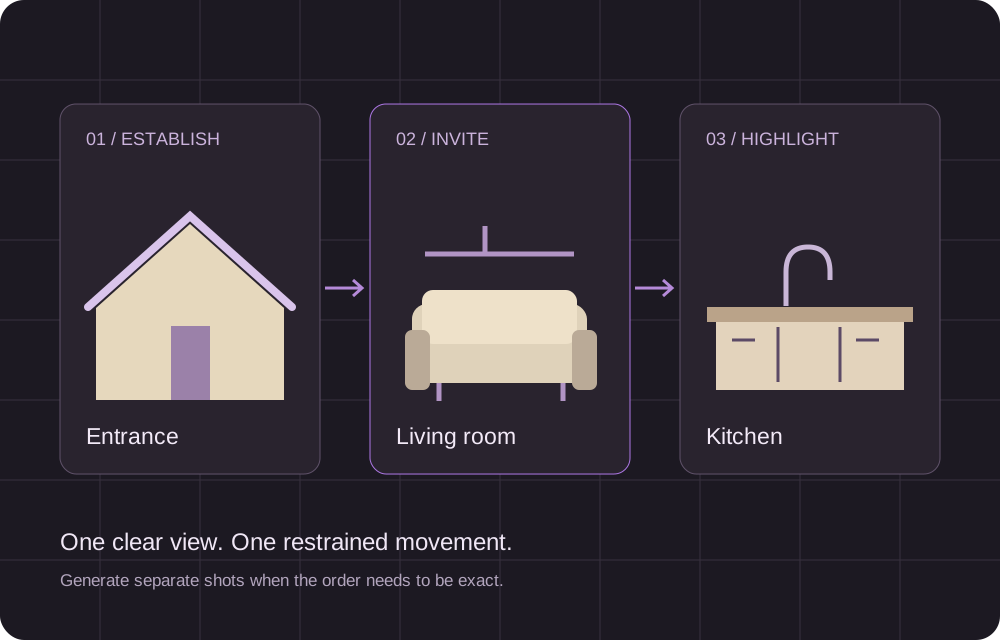
Decide what the viewer should notice: an island, an entrance or a terrace opening. Keep the original photo beside the generated clip for comparison. For several rooms, make separate shots so you control their order and can replace one weak result.
2. Set the framing and duration
Choose 16:9 for a horizontal presentation or 9:16 for a vertical post. Use a source image close to the intended shape so important features stay in frame. Start with a short clip and select the available resolution and duration for your destination.
You can follow these steps in the AI real estate video generator. Upload the first photograph and check the settings and credit estimate before submitting.
3. Request one restrained camera move
A small push-in usually gives you fewer changes to inspect than an orbit that reveals unseen parts of the room. Keep the instruction specific:
Make a slow push toward the dining table. Keep the walls, windows, furniture and fixtures in their original positions. Preserve the room's layout and proportions.
This is direction for the model, not a guarantee of accurate geometry. Do not request new furniture, a renovation or an invented view through the window when the video represents an existing listing. If a tool already includes camera direction, add only the adjustment you need.
4. Inspect the complete result
Watch from beginning to end, then pause at the start, middle and finish. Compare with the photograph:
- Do doorways, windows and counters keep their shape and position?
- Does the furniture stay consistent through the movement?
- Do mirrors and glass show plausible reflections?
- Does the camera reveal anything the original photo cannot establish?
Reject a clip that adds a door, changes a fixture or materially misrepresents the property. A polished opening frame does not make the remaining footage accurate.
If the shot moves too much, keep the photograph and reduce the requested movement. Change one thing per attempt so you can tell what helped. Output duration and processing time are different; allow time for generation, review and possible retries.
5. Assemble the listing video
A simple sequence can move from the exterior to a living space and then a kitchen or featured room. Use consistent framing and simple cuts. For a thirty-second presentation, combine several accepted short clips rather than asking one shot to explain the whole property.
Add verified prices, room details and contact information as editable text in your editor. Keeping text separate lets you update it without regenerating the footage. Leave enough reading time, then check the final crop and captions on a phone.
For a short teaser, one strong view and a factual headline may be enough. A full listing should carry measurements and other details that a brief visual clip cannot communicate.
Troubleshoot before adding effects
| Problem | What to try |
|---|---|
| Walls or furniture bend | Reduce the camera move and try a clearer photograph with less lens distortion. |
| Reflections flicker or change | Use a simpler angle with fewer mirrors or strong glass reflections. |
| Vertical framing hides a feature | Choose a portrait-friendly photograph or fit the full image inside the vertical canvas. |
| One room is omitted from a multi-image result | Generate a separate shot for that room and assemble the sequence yourself. |
| New objects or openings appear | Reject that version; use smaller motion and compare the next result with the original. |
Keep the source images, accepted clips and their settings together. Before sharing, review the final sequence for property accuracy, readable text and a soundtrack you can use.