
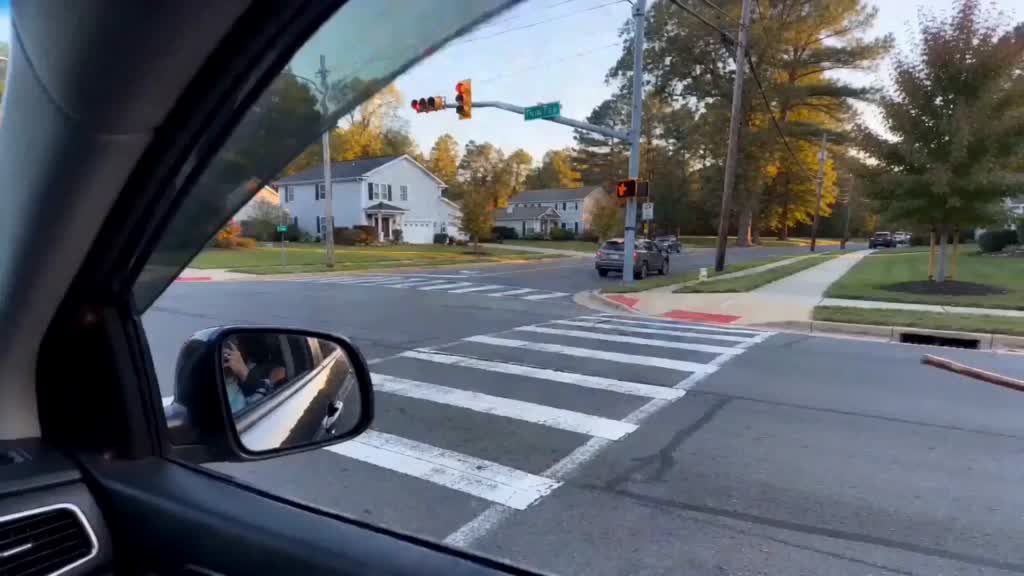
To make the My Ride Is Here TikTok AI video, open the My Ride Is Here template, select Use this template, replace the input photo with your own, and select Run. The prepared workflow supplies the broom-riding reference and scene instructions. You do not need to film yourself on a broom or write a prompt.
This tutorial covers the roadside version: viewed from inside a car, a person arrives on a flying broom, pulls alongside, then speeds away. The current setup uses one photo, generates a six-second landscape clip, and shows 125 credits per run.
Checked October 1, 2026: the settings, controls, pricing, and published example below were inspected directly. The example is an existing template output; a fresh generation was not timed for this guide.
What is the My Ride Is Here AI broom trend?
The joke turns “my ride is here” into a fantasy pickup: your transport is a flying broom.
For a recognizable My Ride Is Here AI edit, preserve three things: the car-window viewpoint, the broom arriving alongside the car, and the final departure. A portrait with a broom added to the background will not recreate that moving sequence.
Watch the reference and the finished video
The reference included with the template
The published My Ride Is Here AI result
Watch the example before spending credits. Facial details, timing, and audio can vary between runs.
What you need for a My Ride Is Here video
- One clear photo: JPG, PNG, or WebP, up to 10 MB. Choose one person with a visible face and even lighting.
- A Vhoo account: sign in when prompted to upload or generate.
- Enough credits: the default workflow currently needs 125 credits.
- An optional editor: CapCut or another editor can add captions and arrange the result on a vertical canvas.
A selfie can be used; the sample input is a portrait. Avoid group photos, covered faces, and strong filters. Visible clothing gives the model outfit information, but a full-body shot is not required.
How to make the My Ride Is Here TikTok trend
1. Open the My Ride Is Here AI template
Visit the My Ride Is Here video generator and select Use this template. The preparation screen shows Input, Video Generator, and the saved example result.
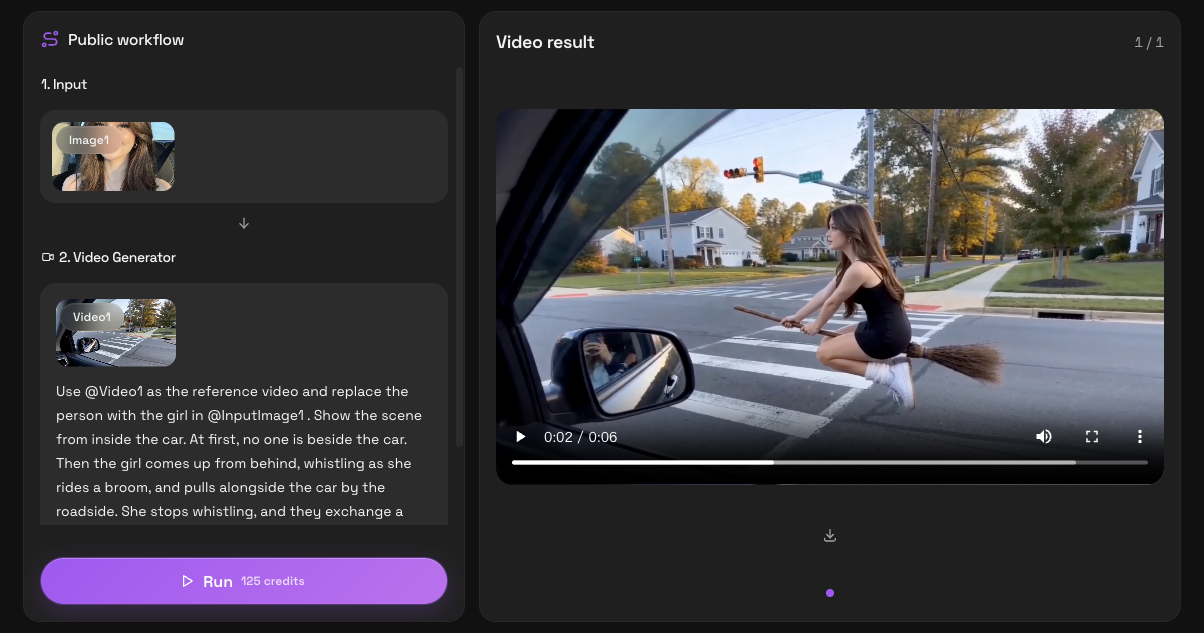
2. Replace Image1 with your own photo
In Input, click the Image1 thumbnail to open its preview, then choose Replace and upload your photo. Wait for the thumbnail to show your intended subject before continuing.
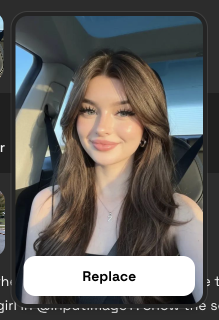
Keep Video1, the My Ride Is Here scene reference, attached. Replace the existing photo slot so the prepared instructions refer to your image.
3. Check the generation settings and credits
The generator settings and instructions are read-only on the public preparation screen. Keep the supplied configuration:
| Setting | Checked value |
|---|---|
| Model | Seedance 2.0 Fast |
| Photo input | One image |
| Video reference | Included as Video1 |
| Aspect ratio | 16:9 |
| Resolution | 720P |
| Requested duration | 6 seconds |
| Audio | On |
| Default run | 125 credits |
This My Ride Is Here AI template needs no separate Hailuo or CapCut account. Check the live Run quote because configuration and pricing can change.
4. Generate and inspect the whole clip
Select Run once. The interface says generation may take a few minutes, subject to queue and provider delays. Six seconds is the output length, not processing time.
Review your My Ride Is Here video from beginning to end. Check whether the face remains recognizable, the rider stays attached to the broom, and the final acceleration looks coherent. Listen for unexpected audio before posting.
5. Download the result
Use Download result beneath your completed My Ride Is Here video. For a vertical layout, follow the CapCut steps below.
The full My Ride Is Here AI prompt
These are the template’s complete scene instructions. You do not need to paste them into the prepared workflow.
Use @Video1 as the reference video and replace the person with the girl in @InputImage1. Show the scene from inside the car. At first, no one is beside the car. Then the girl comes up from behind, whistling as she rides a broom, and pulls alongside the car by the roadside. She stops whistling, and they exchange a smile. She then accelerates and flies far ahead into the distance.
@InputImage1 is your replacement photo; @Video1 is the included clip. The text alone, without those media references, does not reproduce the setup in another generator.
The prompt requests whistling, not a fixed TikTok recording. Review the audio and choose a finishing track separately if needed.
My Ride Is Here in CapCut: generation or finishing?
Searching for a My Ride Is Here AI broom trend CapCut tutorial may lead to a different template. Check its preview, camera angle, duration, and payment requirements before using it.
For the Vhoo method, CapCut is optional. Its useful role is arranging the downloaded landscape clip for a vertical post:
- Start a project and import the completed video.
- Set the canvas or aspect ratio to 9:16.
- Fit the whole landscape clip inside the canvas. Use a solid or blurred background to fill the remaining space.
- Add a short caption such as “my ride is here” without covering the rider’s face.
- Scrub through the arrival and departure, check the audio, then export.
A tight crop can cut off the moving rider. Keep the whole frame visible initially. A higher export resolution does not restore detail missing from the 720P source.
Can you make the My Ride Is Here trend with Hailuo?
Hailuo supports photo-to-video generation with motion instructions, but an equivalent My Ride Is Here result has not been tested for this guide.
If you searched for a My Ride Is Here AI flying tutorial for Hailuo, note that the demonstrated workflow uses Seedance 2.0 Fast. Its prompt tokens, settings, and credit cost are specific to the Vhoo setup.
To follow the shown scene, use the linked template. A separate image-to-video experiment may need several attempts to establish the viewpoint and action.
How much does a My Ride Is Here video cost?
On October 1, 2026, the default My Ride Is Here run showed 125 credits. The smallest listed one-time credit pack was 400 credits for US$9.90. Starting from zero, that pack covers three default runs, using 375 credits and leaving 25.
The pack price is not the price of one separately sold video. The listed free check-in series totals 60 credits, which alone does not cover this workflow. Check Vhoo pricing and the live Run quote before paying.
Watermarks and failed generations
Vhoo’s pricing page states that purchasing any credit pack unlocks watermark-free video downloads without a subscription. A free account should not assume the same download entitlement.
The stated policy returns credits used by failed tasks. A completed My Ride Is Here result with unwanted details does not necessarily qualify; budget for quality-related retries.
Fix common My Ride Is Here AI problems
| Problem | What to check or change |
|---|---|
| The sample person appears | Confirm that Image1 finished updating to your photo before Run. The saved example remains visible before a new result is generated. |
| The face looks different | Try a clearer, evenly lit photo with one unobstructed face. Likeness can still vary between generations. |
| The camera or action is wrong | Check that you opened the linked roadside template and kept its Video1 reference. A photo and generic broom prompt supply less scene guidance. |
| The broom, limbs, or face distort | Watch frame by frame. Trim a brief flawed ending if the departure still works; otherwise budget for another attempt. |
| The rider disappears in a vertical edit | Fit the landscape video inside a 9:16 canvas and check the complete motion before export. |
| The whistle or other audio sounds wrong | Mute or replace the audio in your editor. The prompt does not guarantee an exact sound or timing. |
| Run requires more credits | Compare your balance with the current quote. The listed 60 free check-in credits alone are below the default 125-credit cost. |
My Ride Is Here tutorial FAQ
Do I need to film myself flying or holding a broom?
No. This My Ride Is Here template takes one photo and supplies the reference scene. The broom flight is generated, so no physical broom, green screen, or filmed performance is required.
Can I post the landscape result without CapCut?
Yes. Use your downloaded My Ride Is Here clip directly, or edit it when you want a vertical layout, captions, trimming, or different audio.
Ready to make your version? Open the My Ride Is Here AI template, replace Image1, and check the credit quote before running.