
Text to Video AI
Text to Video AI: turn a written scene into a clip
Use Text to Video AI when the scene exists in your imagination, not in a photo. Describe who is there, what happens and how the camera sees it. Generate cinematic concepts, atmospheric B-roll and short visual stories without uploading media.
Turn your prompt into video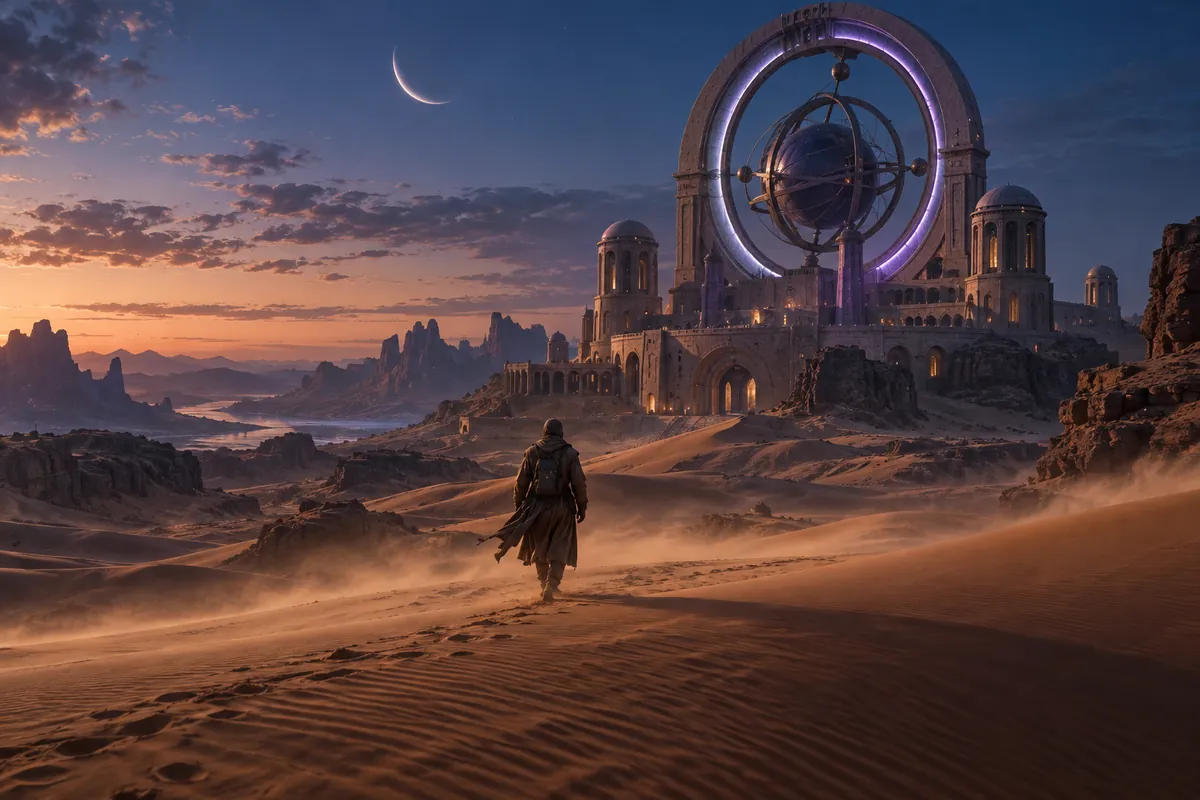
Prompt to video
Text to Video AI starts with a shot you can describe
A traveler crosses a desert. Sand blows past the lens. The camera follows toward an observatory. A visible action gives Text to Video AI something to develop over time.
Use an AI video generator from text to explore a scene without preparing reference files. It is useful for imagined environments, mood studies and short B-roll concepts where you do not need a specific existing face or product.
Build a Text to Video AI prompt around four decisions
Describe what is on screen before adding atmosphere. Keep the action coherent with the clip length and use one clear camera direction.
- 01
Subject + place
A lone traveler in rose sandstone dunes.
Establish one subject and a readable environment.
- 02
Action
Walking toward a circular observatory.
Give the scene something that unfolds over time.
- 03
Camera
Wide shot, slowly following from behind.
Specify the viewpoint and movement.
- 04
Atmosphere
Blue hour, blowing sand, a quiet mood.
Define light and weather after the shot is clear.
Give each Text to Video AI clip one job
Let an establishing shot introduce a place. Let an action shot show a clear movement. A prompt that asks for an arrival, a chase and a departure can pull a short generation in several directions.
For a sequence, plan separate clips and assemble them in your editor. If the next shot needs the same appearance, first create a visual reference with Text to Image AI, then use an image-guided video workflow.
How to generate a video from text
Describe one scene
Write a visible subject, action and camera direction. Text to Video AI does not require an image or other media upload.
Choose video settings
Select a model that supports text-only generation. Choose its available duration, aspect ratio and resolution, then check the credit estimate.
Generate and refine
Review the entire clip in Your videos. If the action is unclear, revise that instruction before adding more details. Download a result you want to keep.
Text to Video AI ideas for your next project
Atmospheric B-roll
Create a visual concept for a location, weather condition or background moment. Give the camera a clear subject to observe.
Story and scene development
Explore the look of a scene before a shoot. Test the setting, framing or pace one choice at a time.
Short social visuals
Build a single striking action around a readable subject. Choose a supported vertical format if that suits the destination.
Text to Video AI: frequently asked questions
No. This mode is for a text prompt without uploaded references. Choose a model that supports that input. Use Image to Video when you already have the visual you want to animate.
This page generates individual clips. It does not automatically break a screenplay into scenes, arrange a timeline or add a complete narration and subtitle track.
Include the details that define the shot: what is visible, what happens and how it is framed. Start with a coherent scene, then add details where the first result needs more direction.
Choose from the duration, resolution and aspect ratio options exposed by the selected model. Those choices vary, so check the generator rather than assuming every model has the same settings.
Make your next idea visible